High End Driving Simulators for Professional Drivers
The most convincing simulator for a professional driver isn’t necessarily the one with the most imposing cockpit. A high-end driving simulator should match the driver’s purpose, from repeatable training sessions to the precise feel of a dedicated formula-style setup.
A premium system should feel solid, responsive, and immersive. Those qualities come from how the cockpit, wheel and pedals, display, and motion hardware work together, not from one headline component. The right choice depends on what you need to practice and how closely the installation should match your driving position.
This guide compares racing simulator cockpits, formula-style carbon monocoques, and professional driver installations. It explains what each approach suits, which hardware choices shape driving feel, and how to assess a complete system instead of selecting parts in isolation.
Whether you’re refining an established rig or planning your first premium simulator, aim for a setup that supports your driving priorities without adding complexity for its own sake.
Key Takeaways
- Match wheel, pedals, PC, and racing controls to your driving goals, then compare how each setup handles formula-style and GT driving.
- Choose a cockpit around its footprint, adjustment needs, mounting options, and room for future changes.
- Professional installations can be tailored around direct-drive feedback, driver position, and monitor configuration.
- Understand which components shape the total investment, and where Apevie Simulators’ custom builds, motion systems, and Heusinkveld pedals may fit.
Which High-End Driving Simulator Is Best?
The best simulator matches your driving discipline, hardware goals, and available space. A high end driving simulator works as a system: its wheelbase, steering wheel, pedals, and PC should suit your racing priorities.
Pedals, Steering Wheels, and PC Components
Compare Heusinkveld Sim Pedals Sprint with Fanatec ClubSport Pedals by their adjustability and the pedal feel you prefer. For steering, the GSI Formula Pro Elite and Cube Controls F-Core are formula-style examples; a GT-style wheel offers a different grip and control layout. Carbon-fiber formula wheels emphasize a compact form, while GT wheels suit drivers who want a broader rim. PC graphics matter too: listed Formula Pro and GT Pro PCs use NVIDIA GeForce RTX 5080 cards, while Sport versions use RTX 5070 cards.
Wheelbase and Mounting Compatibility
A direct-drive wheelbase needs a compatible steering wheel and a secure simulator cockpit mount. For example, the Simucube 3 Wheel Base and Fanatec Direct Drive Wheel Base belong to different hardware ecosystems, so match the wheel connection before choosing a rim. Check the cockpit’s wheelbase mounting pattern as well. A mismatch can require different mounting hardware, while a well-matched assembly keeps the wheel positioned securely.
Build-Your-Own and Turnkey Systems
You can build a high-performance rig yourself or choose a turnkey system planned around your requirements. A self-build suits a serious sim racer who wants to select each component, compare connections, and manage setup. A turnkey system brings the cockpit, wheelbase, pedals, controls, and PC together as one planned installation. Choose based on how much time you want to spend integrating hardware, not simply on the number of components.
Racing Simulator Cockpits
A cockpit sets your driving position and determines how securely the steering wheel, pedals, and chassis work together. If you want motion, match the platform to the cockpit’s mounting design and the movement you want to feel.
Cockpit Design and Driving Positions
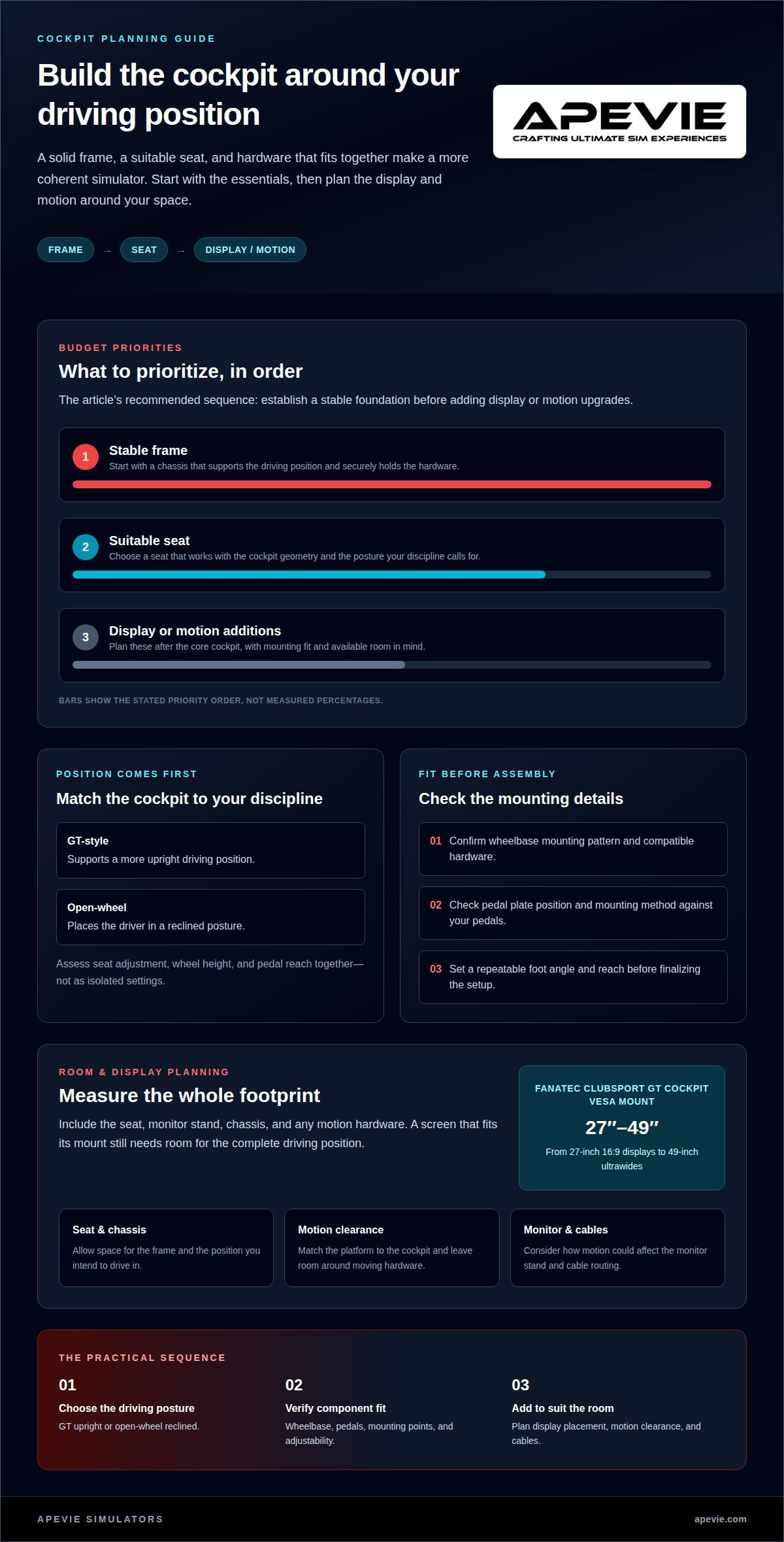
A GT-style cockpit supports a more upright driving position, while an open-wheel layout places the driver in a reclined posture. Choose the geometry that suits your racing discipline, then assess seat adjustment, wheel height, and pedal reach together. An aluminum extrusion chassis can support configurable mounting points, while a purpose-built frame may prioritize a specific position. The RCP Cockpit PRO is one example to assess for pedal plate and mounting fit.
Space, Footprints, and Budget
Measure the intended footprint, including space for a seat, monitor stand, and any motion hardware. A Fanatec ClubSport GT Cockpit’s VESA mount supports screens from 27-inch 16:9 displays to 49-inch ultrawides. That range helps frame display planning, but the full setup still needs room for its chassis and seating position. Budget priorities should follow: stable frame, suitable seat, then display or motion additions.
Compare the pedal plate’s position and mounting method with your chosen pedals. A compatible plate should let you establish a repeatable foot angle and reach, and the mounting method must suit the pedal set. Confirming these points before assembly helps avoid adapting the chassis around mismatched hardware.
The right motion platform fits the cockpit, intended movement cues, and available footprint. A moving chassis needs compatible mounting and enough surrounding clearance. Consider how motion may affect the monitor stand and cables, too. A platform integrated into the cockpit keeps the design coherent, while a separate frame may require more floor space.
Professional Driver Use and Simulator Installations
A professional installation should reflect the driver’s purpose, not just the hardware available. For example, a GT driver preparing for a specific car benefits from a cockpit position, steering wheel, and control layout shaped around that discipline. A useful setup also makes feedback clear and consistent, so steering inputs and changes in grip feel deliberate rather than distracting.
Direct-drive wheels provide detailed force feedback, but the installation must support the wheelbase securely. Apevie Simulators offers direct-drive wheel bases, including Simucube and Fanatec options, for drivers seeking direct-drive control. A stable mount helps prevent unwanted movement under steering load. Settings can then shape the wheel’s response for the car or training session. The aim is useful information through the wheel, not simply stronger force.
Adjustability matters when a simulator serves different drivers or practice goals. Moving the seat, pedals, and wheel lets a driver establish a familiar posture before a session. A formula-style position differs from a GT-style position, so adjustable mounting points can help a rig accommodate both. Repeatable settings also make it easier to return to a preferred setup after changes.
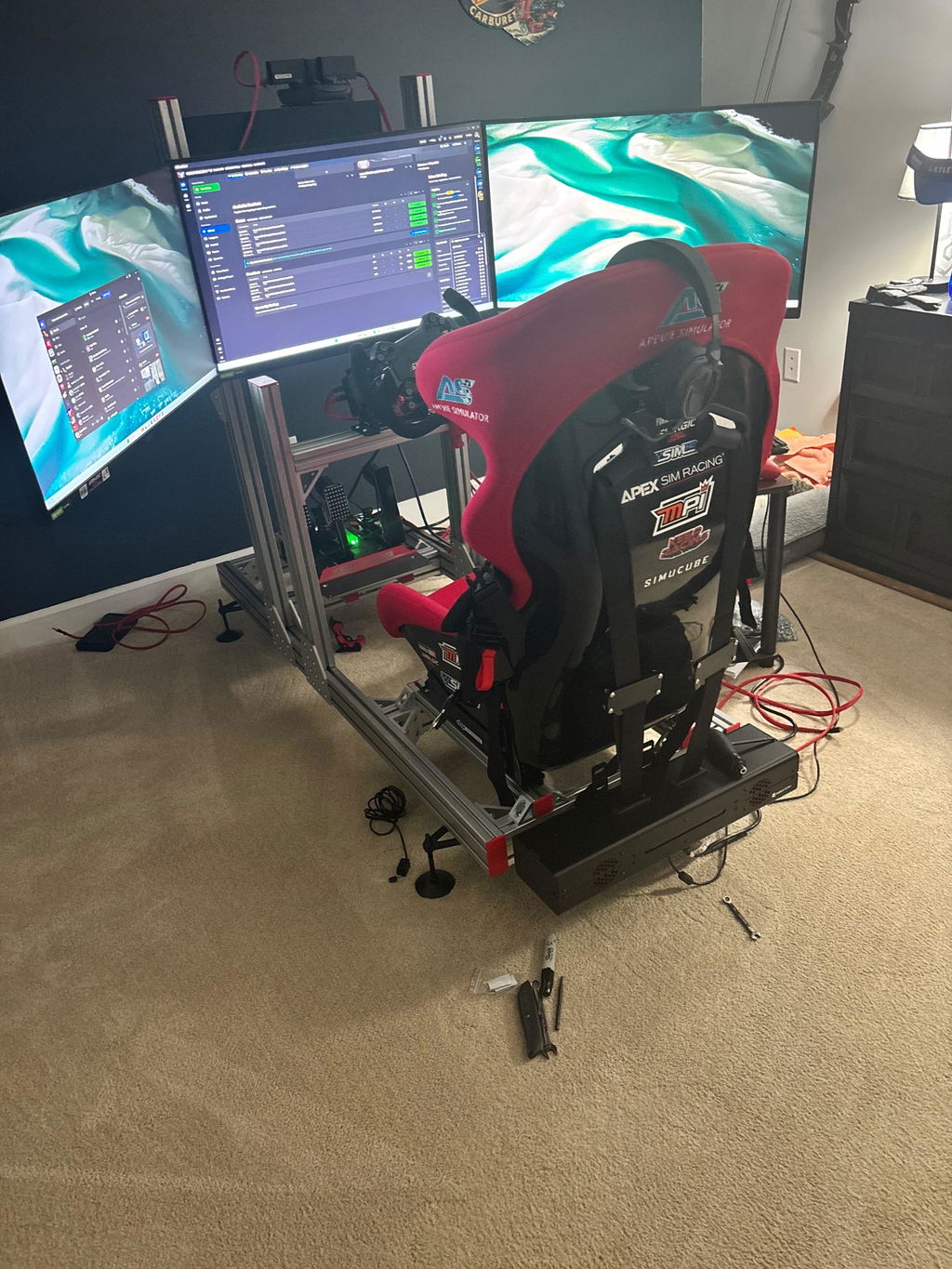
Monitor configuration influences what the driver can see from the cockpit. A single ultrawide curved monitor keeps the image in one continuous view, while a triple-monitor setup adds peripheral views beside the central screen. The right choice depends on cockpit layout, viewing distance, and available space. In either case, align the image with the driver’s seated eye line.
Plan the installation around a specific training use, such as car control, familiarization, or repeatable practice. Then match wheel feedback, controls, adjustability, and display placement to that use. A custom simulator is more coherent when these decisions are coordinated rather than added independently. For professional drivers, a successful setup supports focused, repeatable sessions through its position and feedback.
How Much Does a High-End Driving Simulator Cost?
The overall configuration depends on the components you choose, so compare complete system plans rather than isolated items. A cockpit, wheelbase, pedals, PC, and display form distinct parts of a build. Optional motion hardware adds another decision. First define whether you’re planning a complete simulator or upgrading an existing rig.
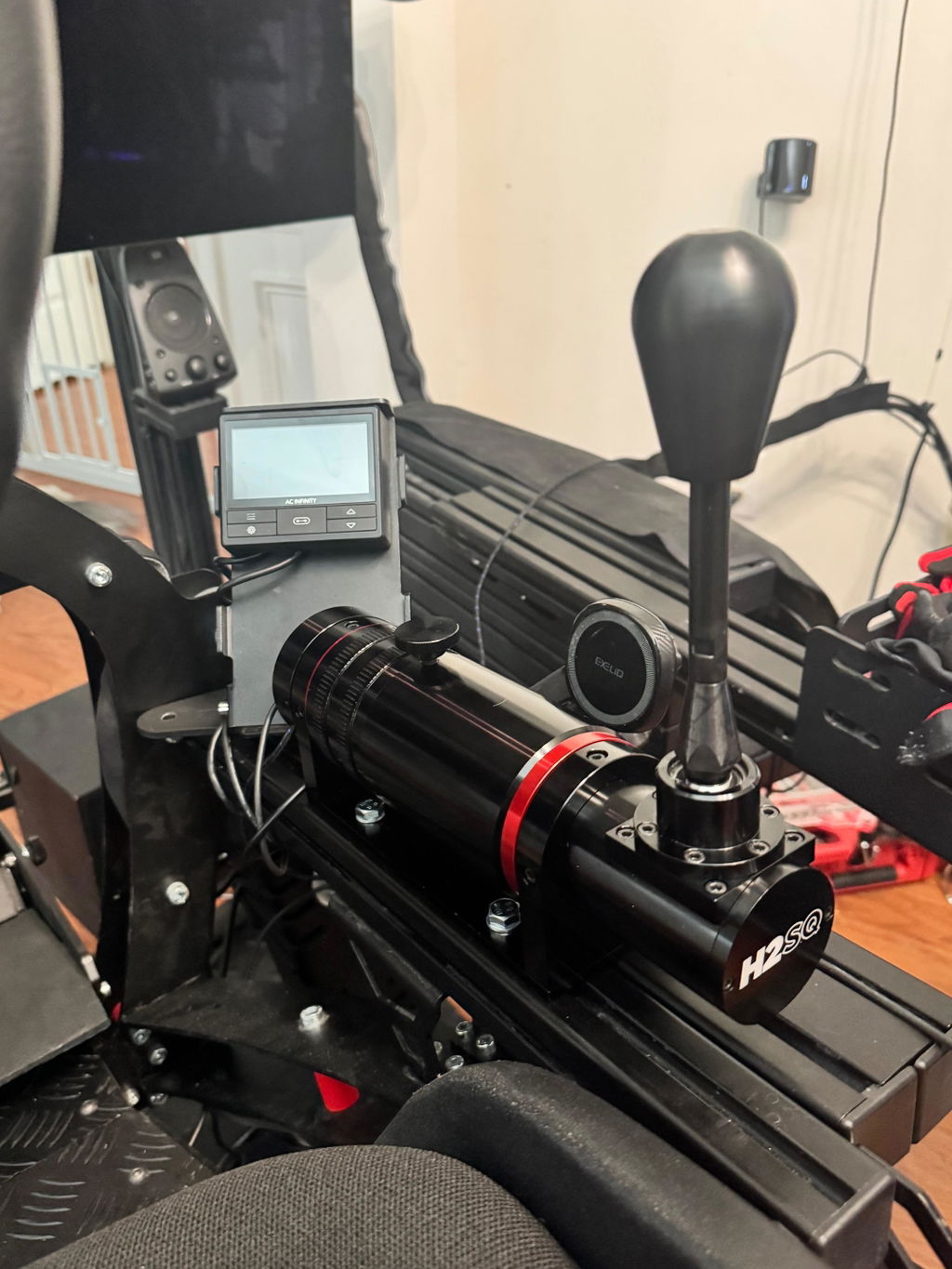
Hardware choices shape the system. For example, Heusinkveld Sim Pedals Ultimate+ and Fanatec ClubSport Pedals are different pedal options to consider. A Fanatec ClubSport Shifter or ClubSport Handbrake adds a dedicated control to the build. Choose each component for a defined driving use, rather than adding controls without a clear purpose.
PC and display requirements also shape the configuration. A system built around demanding graphics needs a PC selected for the intended simulator software and monitor setup. An ultrawide display and a triple-monitor arrangement call for different screen layouts and mounting plans. These choices affect which supporting parts belong in the complete setup.
Motion hardware brings further planning considerations. A Sigma Integrale DK2 Motion System, for example, needs to fit the cockpit configuration and the intended use. Consider it alongside the chassis and surrounding space, not as a stand-alone upgrade. A fixed cockpit remains a different kind of build, with fewer system elements to integrate.
For a practical budget plan, list the essentials first: cockpit, wheelbase, pedals, PC, and display. Then decide whether a shifter, handbrake, or motion system serves your goals. The final investment follows the components you select and their integration. This approach makes trade-offs visible and helps distinguish a focused setup from a more elaborate installation.
Apevie Simulators: Custom High-Performance Racing Simulator
Apevie Simulators can help plan a complete simulator around your driving priorities. Its custom high-performance racing simulators bring professional-grade components together in a coordinated, PC-focused system. Start with your driving discipline, preferred cockpit position, and the feedback you want from your controls. Apevie’s consultation can help you assess how those choices affect the build.
Motion is another decision. The Sigma Integrale DK2 Motion System or DK2+ Motion System may suit drivers seeking motion as part of their simulator setup. The choice should follow the role motion plays in your sessions and how it fits the rest of the system. A considered configuration keeps the cockpit, controls, and motion hardware aligned with the same purpose.
Pedal feel deserves equal attention. Apevie Simulators offers Heusinkveld Sim Pedals Sprint for custom builds. Pedals influence how braking inputs are made and repeated, so they should fit the driver’s preferred position and practice goals. Treat them as a core control choice, not an afterthought added once the cockpit is decided.
Before settling on a configuration, define what you want to practice, whether motion matters, and which controls feel familiar. Those decisions help clarify whether a motion system or particular pedal set belongs in the build. They also provide a useful basis for discussing how the components work together, rather than comparing hardware names without context. Apevie can use those priorities to plan the configuration and coordinate its installation.
If you’re ready to discuss a custom simulator, contact Apevie Simulators.
Shape Your Next Simulator Around the Driving
Decide what you want the simulator to help you do, then turn that priority into a coherent build. A high-end driving simulator is most useful when its layout and components support your driving habits, rather than simply accumulating premium hardware.
Apevie Simulators can tailor a Custom High-Performance racing simulator around your requirements. The available options include a Sigma Integrale DK2 Motion System and Heusinkveld Sim Pedals Sprint, with each choice considered as part of the complete setup. This is a practical route if you want a coordinated installation instead of managing every component and integration yourself.
Bring your intended use, preferred driving position, and must-have features into the conversation. Those choices create a clear starting point for discussing a build that fits your goals and available space. Consider whether motion or a particular pedal feel belongs in your configuration, without treating either as an automatic upgrade.
Contact Apevie Simulators to discuss your simulator plans. Apevie’s build-planning and installation process can help align component choices with your driving goals and available space.
Frequently Asked Questions
Can I view a simulator before purchasing?
Discussing a configuration before purchase is a practical way to review its components and intended use. Apevie Simulators provides expert support for questions about simulator hardware. Prepare details about your driving discipline, preferred controls, and display plans to guide the discussion. Product specifications can also help you compare components without relying on appearance alone.
How much space is required?
Space needs depend on the cockpit, display arrangement, and whether the build includes motion. A triple-monitor setup requires room for screens beyond the central driving position, while an ultrawide uses a different layout. Allow space for the seat, cockpit access, and safe movement around the installation. Measure the room where the system will sit before choosing a configuration.
Is installation included?
Apevie Simulators offers a White Glove Simulator Installation Service, but installation should not be assumed to accompany every standalone component. A turnkey package and an individual hardware order are different purchase types. For a complete setup, consider installation as part of the project scope so the cockpit, controls, displays, and supporting equipment are addressed together.
Choosing a simulator configuration for your driving style
Start by matching the build to how you intend to drive. For an open-wheel focus, an Open Wheel Simulator Cockpit supports that discipline; for GT driving, a GT Simulator Cockpit may fit better. If adding motion is central to your goal, consider a Sigma Integrale DK2 Motion System as part of the configuration. Apevie Simulators’ Custom High-Performance racing simulator can bring those choices together.
What about formula and F1 cockpits?
A formula-style setup suits drivers who want an open-wheel cockpit layout and matching controls. Apevie Simulators offers an Open Wheel Simulator Cockpit and Formula Steering Wheel options. Decide whether the seated position and control arrangement suit your preferred driving discipline. For a different posture and wheel layout, a GT Simulator Cockpit may be a better fit.
What hardware and software are included?
In the Ready to Race, or RTR, Turn-Key Package, hardware includes the Apevie RTR V2 cockpit, X1 carbon-fiber seat, gaming PC with RTX 50 Series, triple 32-inch monitors, Fanatec DD1 QR2 wheelbase, Fanatec ClubSport F1 wheel, ClubSport V3 inverted pedals, headset, PC tray, and mini keyboard with mouse pad. Software depends on the intended titles and platform; select compatible racing software for your setup.